RepairCMS logo

SMS for repair shops with RepairCMS

RepairCMS is software for repair businesses. Phone and computer repair shops, bike and e-bike workshops, watchmakers and service centers use it to take in jobs, manage repairs and issue invoices.

With seven, their customers get a text message at key steps of their repair job. That means fewer calls asking, “Is my repair ready yet?”
What the integration does

SMS for three events

When a job is created, when its status changes and when the repair is done. You switch on each event separately.

Your own templates

For each event you write your own text. Placeholders such as First name, Job no., IMEI, Company name and Tracking link are filled in by RepairCMS when the message goes out.

Test first

With “Test to me” you send every template to yourself before your customers get it.

SMS right from the job

You can also write your own message to the customer, on the computer and in the RepairCMS app on your phone.

Your sender ID

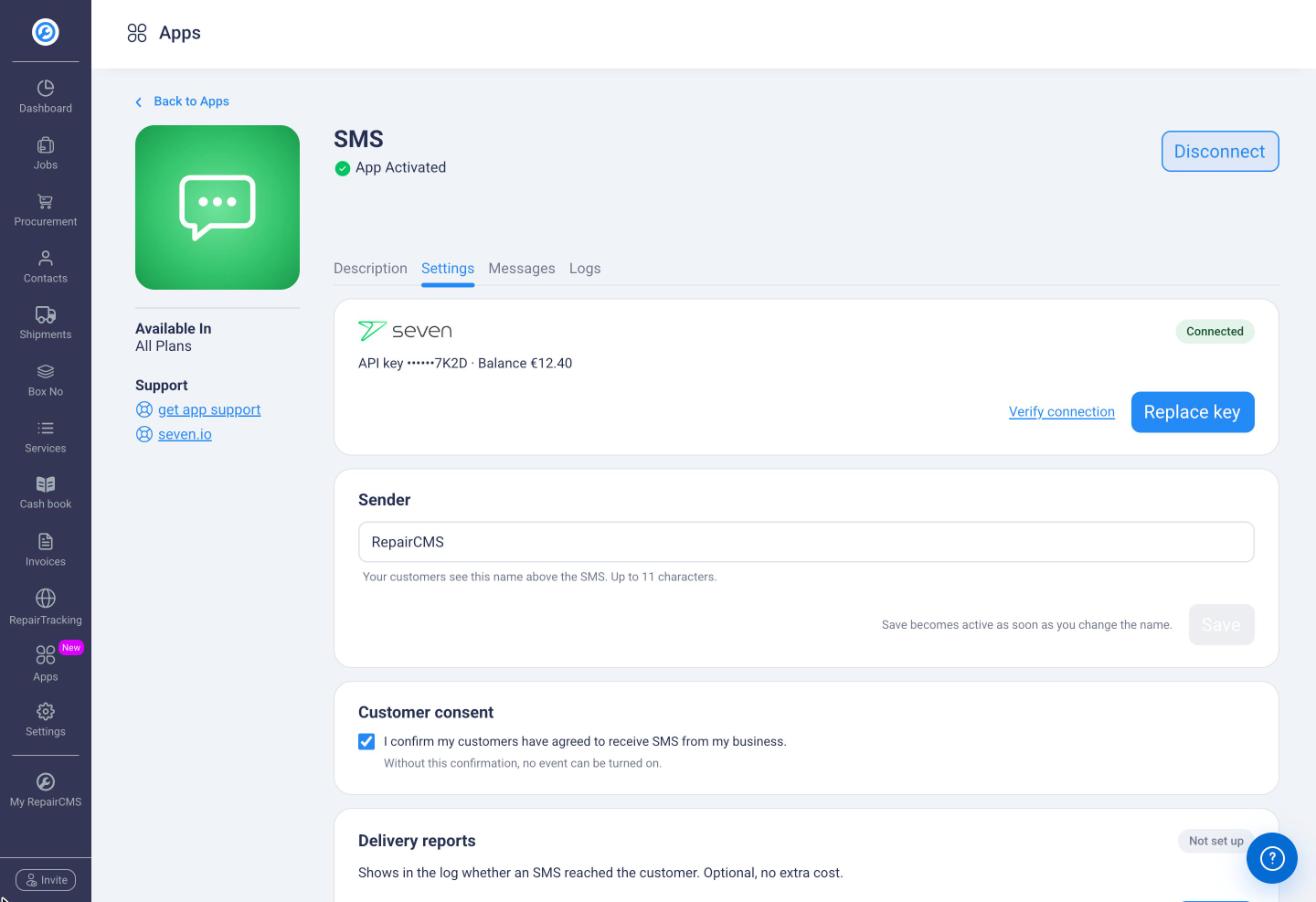
Customers see your business name (up to 11 characters) or your phone number as the sender.

Delivery reports

When you set up the seven webhook, the log shows the delivery status seven reports for every message.

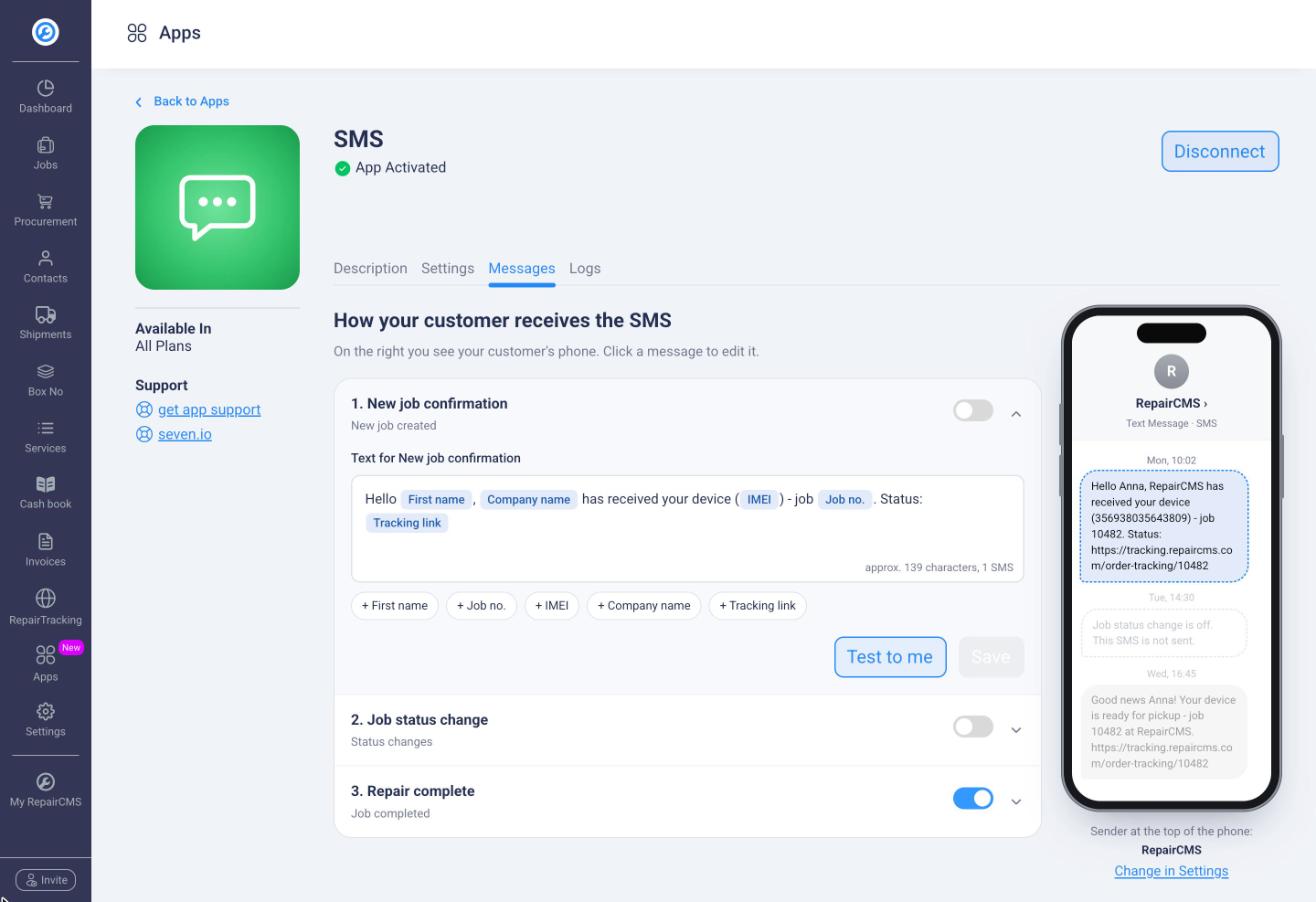
Three events, your own templates and a preview of the message on the customer's phone.

Three events, your own templates and a preview of the message on the customer’s phone.

Three events, your own texts

RepairCMS sends your customers a text message when you create a job, when its status changes and when you complete the repair. The SMS comes in addition to the email, and the tracking link lets your customer see how the repair is going.

You decide which messages go out. All of them are off at the start. Next to the text you see a preview of how the message reaches the customer with your sender ID. A counter shows you how many characters and how many messages your text takes.

Your own SMS right from the job

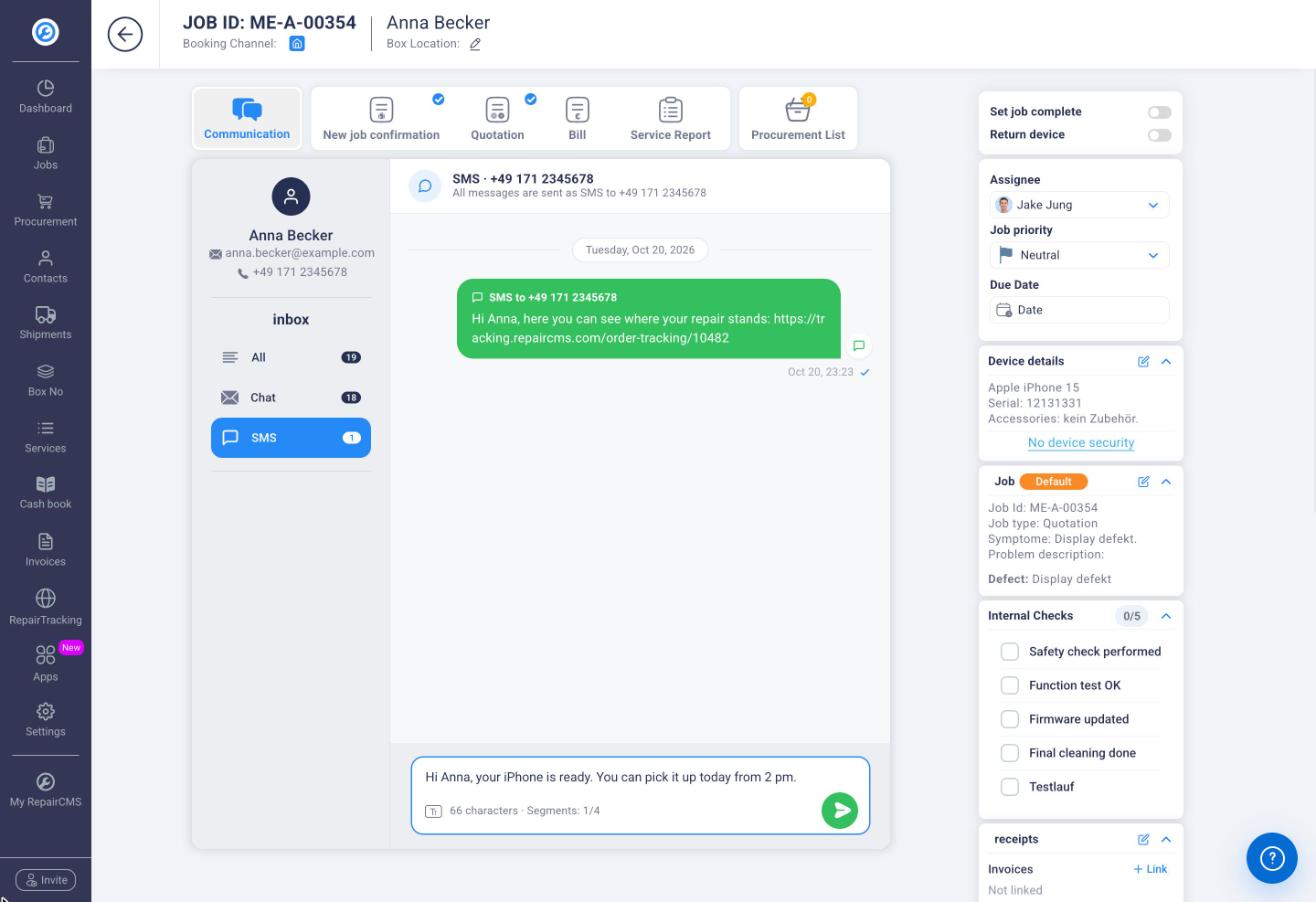
Not every message fits a template, for example when your customer can pick up the device today from 2 pm. For that you write your own SMS right in the job. It goes to the customer’s mobile number and is billed through your seven account.

A message can be up to four SMS long. In the log of the SMS app it shows up as a manual message.

Write your own SMS right from the job.

Write your own SMS right from the job.

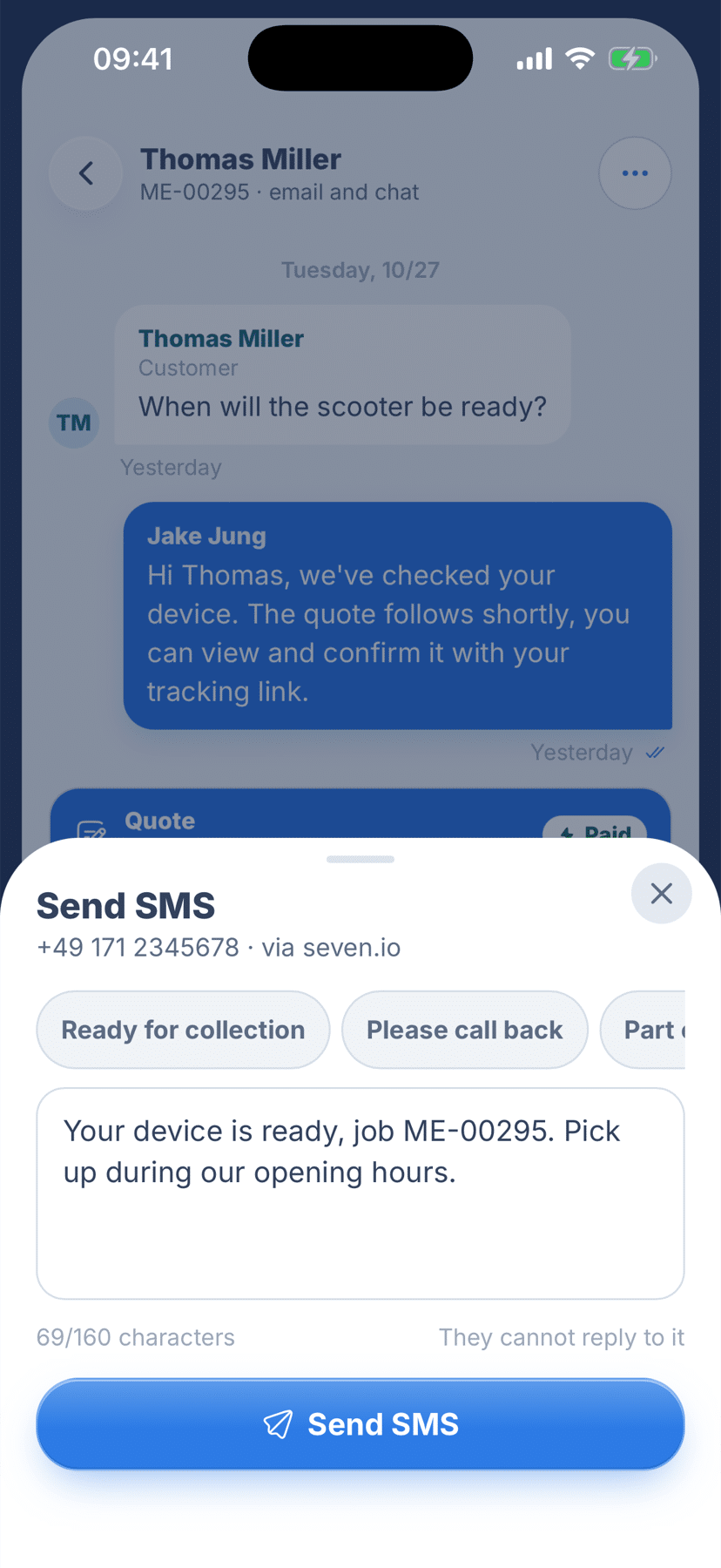
Send SMS in the RepairCMS mobile app.

Send SMS in the RepairCMS mobile app.

On the go with the RepairCMS app

You can also write the SMS on the job in the RepairCMS app on your phone. Web and app use the same connection to seven.

See what happened to every message

The log lists every SMS with time, job, recipient, event and result. If a message was not sent, RepairCMS shows the reason, such as a missing or invalid mobile number. With delivery reports set up, you also see whether the message reached your customer.

How to set it up

  1. In the seven dashboard, go to Developer → API Access and create an API key with SMS permission for the live environment. Messages sent with a sandbox key are not delivered.
  2. In RepairCMS, open the SMS app under Apps and paste the key.
  3. Set your sender and tick the box to confirm that your customers have agreed to receive SMS from your business. Only then can you switch on the events. You are responsible for your customers’ consent.

Delivery reports (optional): In the seven dashboard, go to Webhooks, create a webhook for the dlr event in JSON format and enter the webhook URL and header from RepairCMS.

The step-by-step guide with screenshots is in the RepairCMS Help Center.

seven connected with your API key, sender set.

seven connected with your API key, sender set.

Billing through your seven account

The SMS app is included in every RepairCMS plan. You connect your own seven account, and seven bills every message directly to you. Longer texts can consist of several SMS, and RepairCMS shows the expected number while you type.

You can find what a message costs on our pricing page. No seven account yet? Sign up here.

Get to know RepairCMS

Try RepairCMS for 14 days and connect your seven account right away.